A home blood pressure monitor should fit your arm, be straightforward to use, and produce a record you can share with your healthcare team. Start with those essentials—not the longest feature list.
For U.S. adults advised to check blood pressure at home, the American Heart Association recommends an automatic upper-arm cuff monitor. Home monitoring supports care; it does not replace appointments or justify stopping or changing medication yourself. See the AHA’s home-monitoring guidance.
This guide compares documented specifications and independent validation listings, not hands-on testing or accuracy rankings.
1. Check the exact model’s validation
A familiar brand name is not enough. Search the specific model number on ValidateBP, the U.S. Blood Pressure Validated Device Listing. Its independent committee reviews validation documentation against defined criteria. FDA clearance and independent validation documentation are separate elements of the listing requirements.
Before buying:
- Match the model number on the listing to the retailer’s product and packaging.
- Check the listed cuff range and population served.
- Do not assume another model from the same brand has equivalent validation.
- If you cannot find the model, ask your clinician or pharmacist before purchasing.
Because the process reviews manufacturer submissions, an absent listing does not by itself prove a monitor is inaccurate. It means you have not confirmed it through this resource. Marketing phrases such as “advanced accuracy” are not substitutes for that check. See how ValidateBP reviews devices.
2. Measure your arm before choosing a cuff
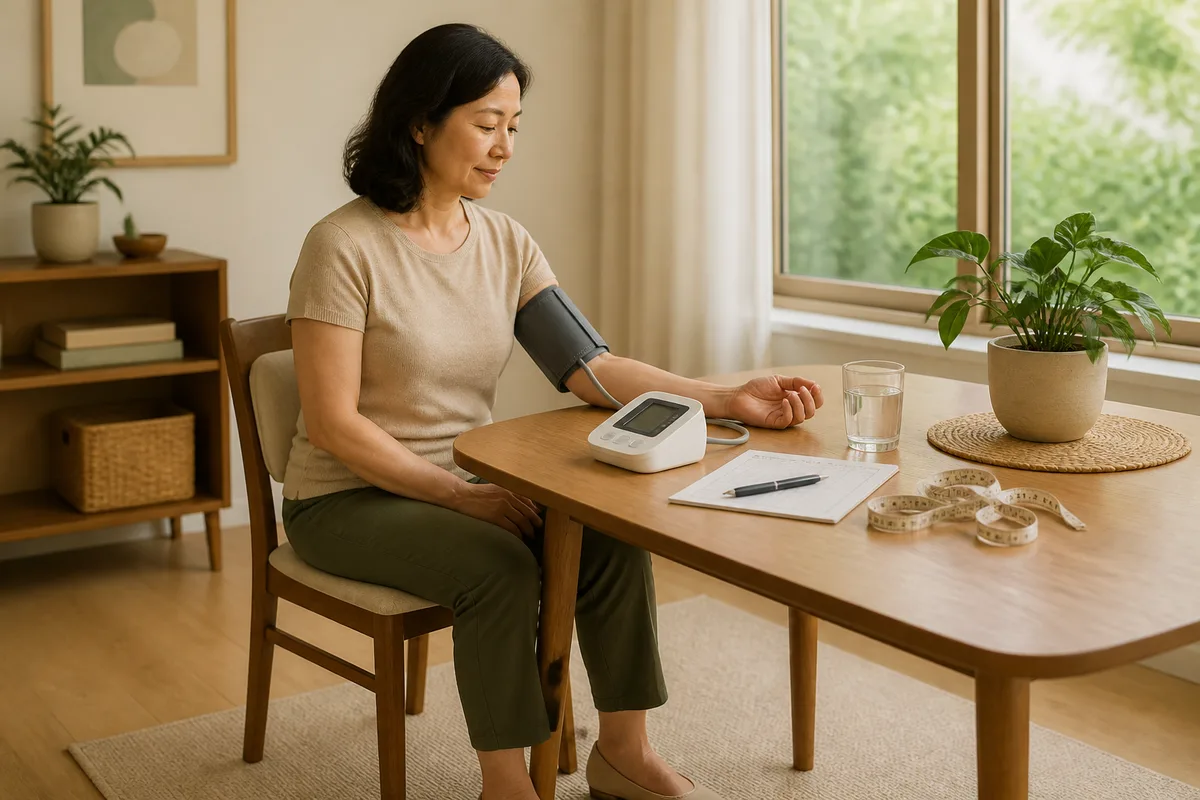
Measure around your bare upper arm with a flexible tape and compare the result with the cuff’s stated circumference range. Do not select by shirt size. An incorrectly sized cuff can produce inaccurate readings, according to the AHA.
Check three details separately: the cuff included in the box, available replacement sizes, and compatibility with the exact monitor. For example, OMRON’s HEM-RML31-B replacement cuff has a specific compatible-model list. Do not assume a cuff is suitable simply because its connector appears to fit.
If your arm falls outside the included range, resolve that before ordering. Ask the manufacturer or clinician whether an alternative cuff is compatible and covered by the relevant validation. A larger cuff is not an interchangeable accessory across all machines; ValidateBP’s criteria explicitly address cuffs tested for the intended population.
3. Compare useful features—not accuracy slogans
These two models illustrate practical differences within one manufacturer’s range. Both have independent ValidateBP entries for general adults with a 22–42 cm cuff range: the BP7150 and BP7255. Their listings do not establish that one is more accurate than the other.
| Feature | OMRON 3 Series BP7150 | OMRON 5 Series BP7255 |
|---|---|---|
| Included cuff | Manufacturer describes 9–17 inches | Manufacturer describes 9–17 inches |
| On-device storage | 14 readings, one user | 30 readings, one user |
| Bluetooth app connection | OMRON connect | OMRON connect |
| Display distinction | Basic display; one-touch operation | Large display with descriptive icons |
| Date and time stamps | In app only | In app only |
| Two-user mode | No | No |
| Batteries | Four AA, not included | Four AA, included |
Specifications come from the current manufacturer pages for the BP7150 and BP7255.
Our practical interpretation: consider the BP7150 if simple controls matter and you are comfortable keeping a separate log or syncing regularly. Consider the BP7255 if additional onboard memory and descriptive display symbols would help. Neither is an obvious choice for two people who want separate onboard histories.
For perspective, at four readings daily, 14 memory slots cover only three complete days; 30 cover seven. Memory capacity deserves attention even if you never use an app.
4. Make readability and recordkeeping personal
Before committing, ask these questions:
- Can I read it comfortably? Look for clear numbers, contrast, and understandable error messages. Do not assume “large display” means backlighting.
- Can I put the cuff on myself? If possible, have the intended user demonstrate placement rather than relying on a caregiver’s impression.
- Will records stay separate? For a shared device, prioritize distinct user profiles or an explicit labeling system.
- Can I preserve dates and times? Check whether these appear in device memory, only in an app, or must be written down.
- What is the total purchase cost? Include compatible cuffs, batteries or adapters, and check return and warranty terms.
These are buying criteria, not claims that more features improve measurement accuracy. For the two examples above, OMRON lists date/time stamps as app-only and does not list a backlit, extra-large-digit display. Check the BP7150 and BP7255 specifications rather than inferring features from photographs.
Is an app worth having?
OMRON says both models can transfer readings to its app for storage, trends, and sharing. That may suit someone preparing records for appointments, but check phone compatibility and privacy terms first. Review OMRON’s product documentation.
If you prefer paper, make that part of your selection criteria. Our guide to using journaling as a wellness tool offers a broader starting point; keep your blood pressure log factual, with readings, dates, times, and questions for your clinician.
5. Use a consistent measurement routine
Follow the AHA’s measurement instructions:
- Avoid smoking, caffeine, alcohol, and exercise for 30 minutes beforehand.
- Empty your bladder and rest quietly for at least five minutes.
- Sit with your back supported, feet flat, and legs uncrossed.
- Place the cuff on bare skin above the elbow, following its instructions.
- Support your arm so the cuff is at heart level. Stay still and do not talk.
- Take two readings one minute apart and record both.
Agree on timing and frequency with your healthcare team. The CDC recommends consistent timing and keeping a record. If remembering is the challenge, use our guide to building a workable wellness routine to plan a quiet measurement slot.
Take your monitor to your next appointment for a technique and equipment comparison, then bring it annually or as directed. This follows AHA guidance.
Who should consider alternatives?
Ask for individualized device advice if you are pregnant, purchasing for a child, or cannot obtain a suitable upper-arm fit. General-adult validation should not be assumed to cover every population. Wrist and finger devices are not the AHA’s routine recommendation because readings are less reliable; discuss alternatives rather than switching solely for convenience. See the AHA’s selection advice.
Also consider another model if you need separate user memories, greater accessibility, or a longer dated history without a smartphone.
Know when a reading needs urgent attention
For nonpregnant adults, if the top number is above 180 or the bottom number above 120, wait at least one minute and repeat if you have no concerning symptoms. If it remains that high, contact your healthcare professional immediately. With chest pain, shortness of breath, weakness, numbness, back pain, vision changes, or difficulty speaking, call 911—do not wait for it to fall. Follow the AHA’s emergency guidance.
Bottom line: shortlist by exact-model validation and cuff fit, then choose the controls and recordkeeping you can comfortably use. Treat connectivity as an option—not evidence of better accuracy.
Sources
- https://www.validatebp.org/
- https://www.validatebp.org/device/3-series-upper-arm-blood-pressure
- https://www.heart.org/-/media/Files/Health-Topics/High-Blood-Pressure/How_to_Measure_Your_Blood_Pressure_Letter_Size.pdf
- https://www.cdc.gov/high-blood-pressure/measure/index.html
- https://www.heart.org/en/health-topics/high-blood-pressure/understanding-blood-pressure-readings/when-to-call-911-for-high-blood-pressure